

Audit log
Every change and sensitive action, who did it and from where. Entries are hash-chained: Verify chain proves none was altered. Export CSV for auditors.
| Report | Answers |
|---|---|
| Success rate | How often each plan succeeds. |
| RPO / RTO | Whether plans meet their recovery objectives. |
| Restore tests | Which drills ran and how they went. |
| Retention deletions | What retention removed, and when. |
| Failed jobs | Which runs failed, and why. |
| Storage use | How much each plan stores, where. |
| Unprotected assets | Servers, volumes or databases no plan covers. |
| Unencrypted artifacts | Backups stored without encryption. |
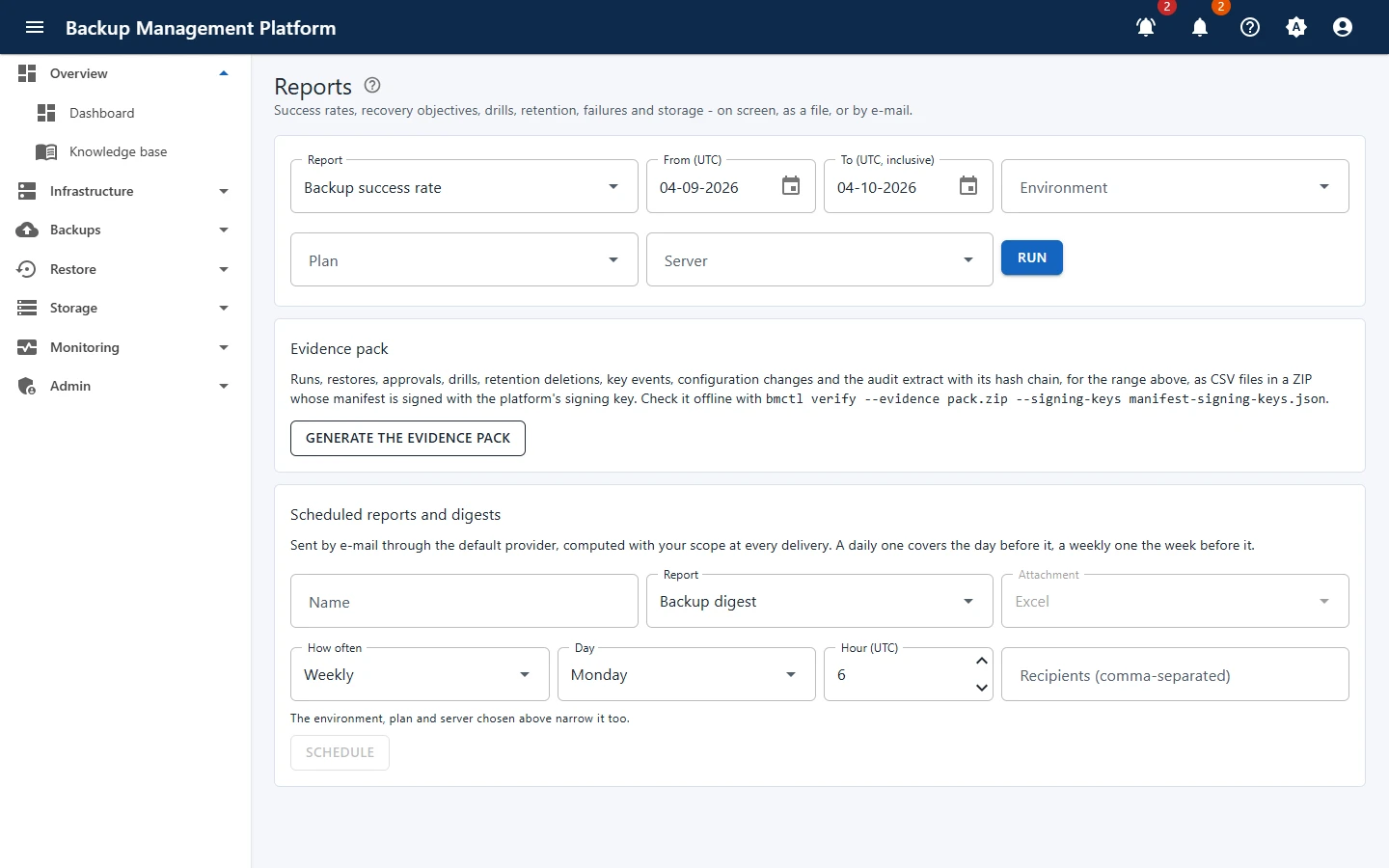
Open Monitoring › Reports, pick a report and a date range
Narrow it by environment, plan or server, then Run it and download it as Excel or CSV.
Schedule it
Under Scheduled reports and digests, choose Daily or Weekly, Excel or CSV, and the recipients. It is e-mailed through the default provider.
For an audit, Generate the evidence pack: runs, restores, approvals, drills, retention deletions, key events, configuration changes and the audit extract for the range - CSV files in a ZIP with a signed manifest. Anyone can check it offline with bmctl verify --evidence pack.zip --signing-keys manifest-signing-keys.json.
Audit log
Every change and sensitive action, who did it and from where. Entries are hash-chained: Verify chain proves none was altered. Export CSV for auditors.
Activity
The same events in plain words - “alice created notification channel” - with links to what changed.
Logs
The platform’s technical log by time, level, source, run and correlation id; live tail refreshes every five seconds.